
Comiczine Comic Reader
A comic book reading application for iPad and iPhone.


Client
Another one of our internal developments. It was created as a fan project to support our hobbies.
Comics are an attribute of the geek industry and a subject for jokes about IT developers. We don’t mind joking about ourselves either and honestly admit: yes, we sincerely love comics and development.
It’s now common practice for print publications to move to digital – to smartphones and tablets – and apps are created for them. However, reader apps from stores seemed not very convenient to us: advertising banners in the most unexpected places, outdated UI/UX, and distribution via the freemium model.
That’s why we created Comiczine – a minimalistic and simple comic book reading application for iPad and iPhone.


Challenges
Our target audience and the first users of the finished product became ourselves.
A good comic book reading application is one that doesn't distract reader and easy to control and configure.
Text and visual components
Diving in reading dialogues and viewing illustrations, the user shouldn’t even think about how it works. But how do you create a comfortable application for such a complex type of digital content?
Nothing extra
The user should be able to customize the application depending on their device and reading habits. Nothing should distract them, yet every interface element should be at hand when needed.

Components of a good comic book reading application
Quick start
– Import comics from Mac to the user’s iOS device.
– Loading from external sources: iCloud Drive, Dropbox, Google Drive.
– Works with CBR and CBZ formats.
Full viewing personalization
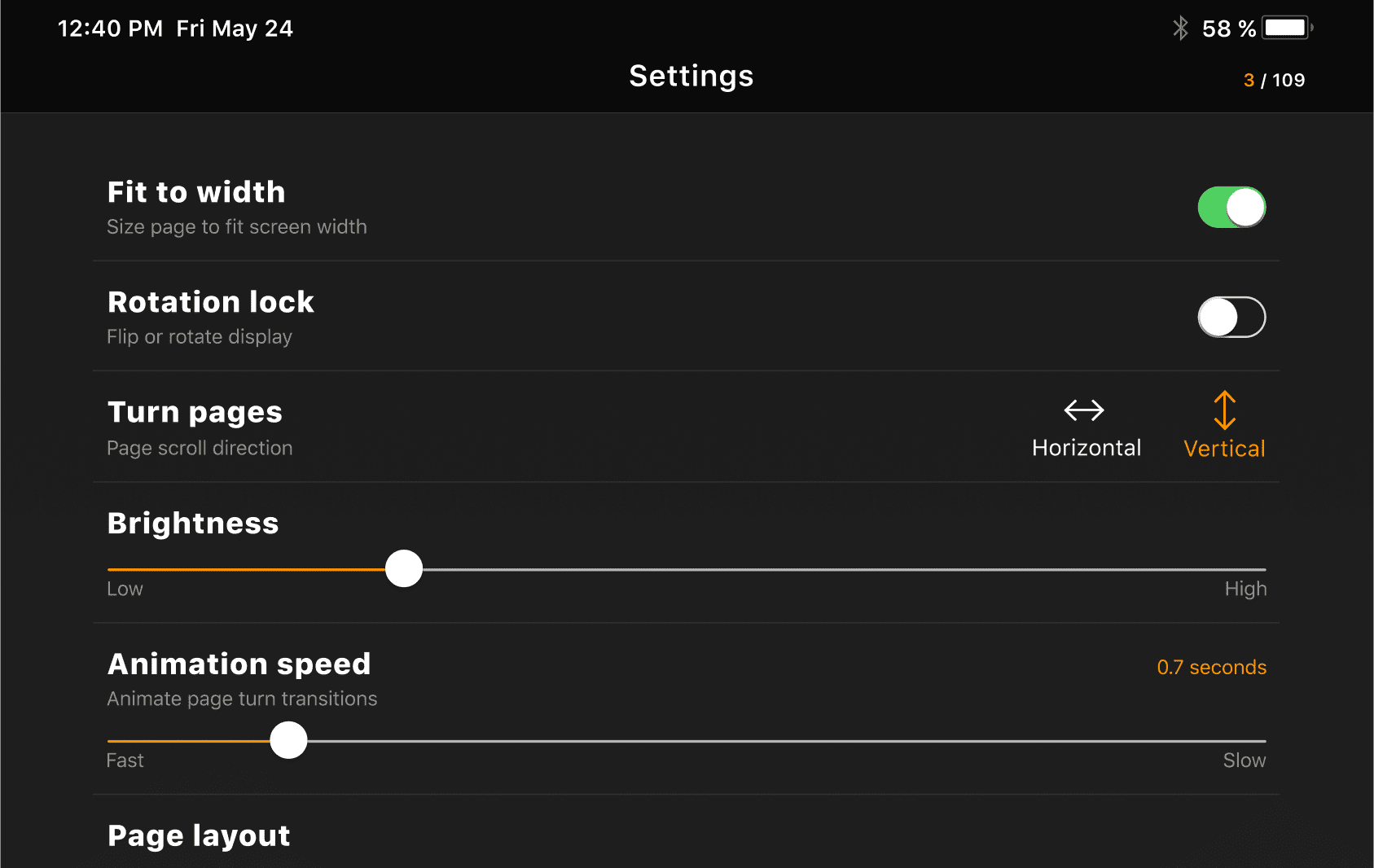
– Fine customization settings: choice of vertical or horizontal scrolling, number of pages on one screen (one or two), font size and screen brightness settings.
– Auto-rotation and full-screen mode functions.
– Zoom in or out of pages with a gesture: just touch the selected area with two fingers.
Support page
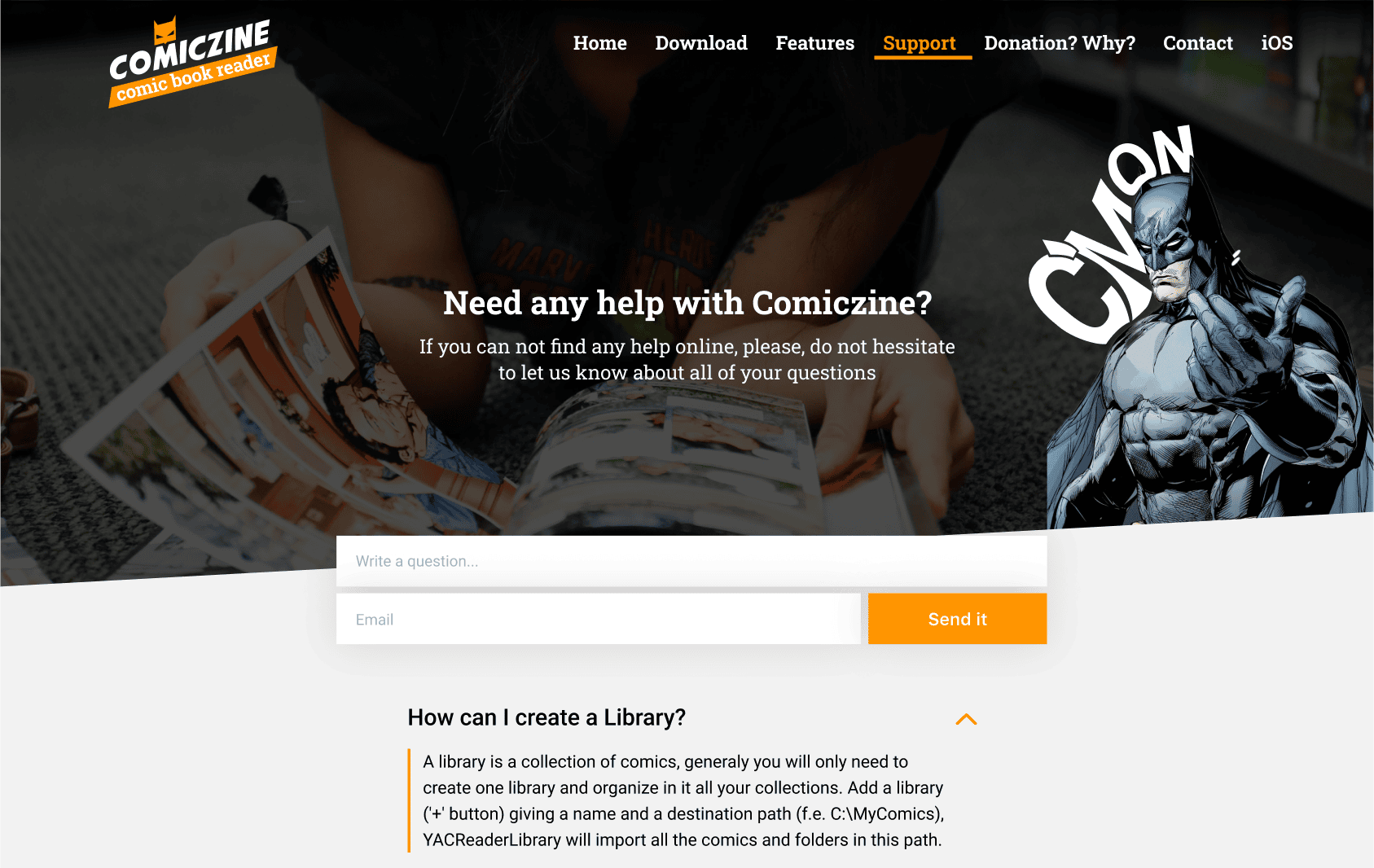
The user follows a link that leads to a full-fledged FAQ with a search bar. Even if there is no answer to a question yet, the user can ask it in the feedback form. When enough such requests accumulate, we add a new section to the FAQ.
Responsive UI
– Simple, stylish, and intuitive interface.
– Performance optimized for iOS and iPad.
– Every function and element follows platform design standards, so the application looks like a system one.
Convenient library
– “Smart” sorting with multiple search options: by title, genre, author, publisher.
– Creating favorites lists.
– Bookmark system and automatic saving of the last read page for each comic.
– Preview of all comic pages, which helps find a specific page faster, even if the user doesn’t know its number.
Result
We didn’t chase monetization and made all functionality free. The app has no premium subscription, annoying ads, or partner offers. The comic reader turned out to be convenient and modern-looking. The smooth page scrolling that we worked so hard to achieve adds value to it and improves the user experience.
minimalist and unobtrusive.

intuitive navigation, extended customization options to match the reader’s tastes and habits.

What happens next:
Having received and processed your request, we will reach you shortly to detail your project needs.
After examining requirements, our analysts and developers devise a project proposal with the scope of works, team size, time and cost estimates.
We arrange a meeting with you to discuss the offer and come to an agreement.
We sign a contract and start working on your project as quickly as possible.